 |
"LMX is a really good product; fits right in with what we need to do." |
|

 |
Overview | |
Download | |
Buy | |
Documentation | |
Walkthrough | |
Try On-line | |
Support |
A Quick Tour of WinLMX
The Windows® interface version of the LMX data binding tool (included in addition to the Windows (DOS) and Linux (Red Hat) command-line versions) makes it easy to generate C++ code from your XML schemas. Simply select your XML schema file(s), the output file root for the C++ / HTML files, and press the compile button! You can also save your configuration for easy re-compilation later.
The Windows® Interface Version of LMX - WinLMX
Generating code from your schema can be as simple as dragging your schema file over the WinLMX Window and then pressing the "Compile..." button.
If you want to change the default project settings, WinLMX makes changing them easy; just click on the options you want:
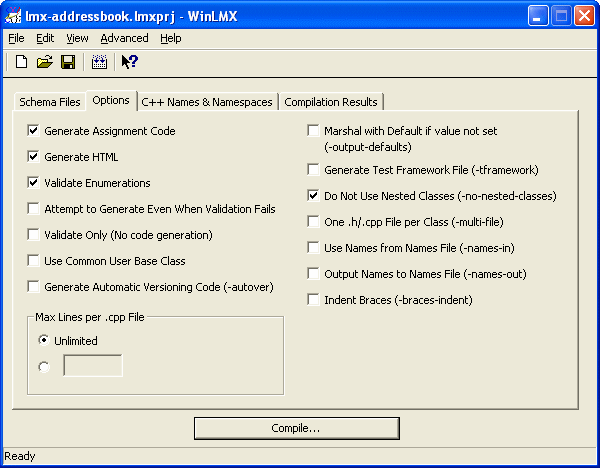
Setting Schema Code Generation Options in WinLMX
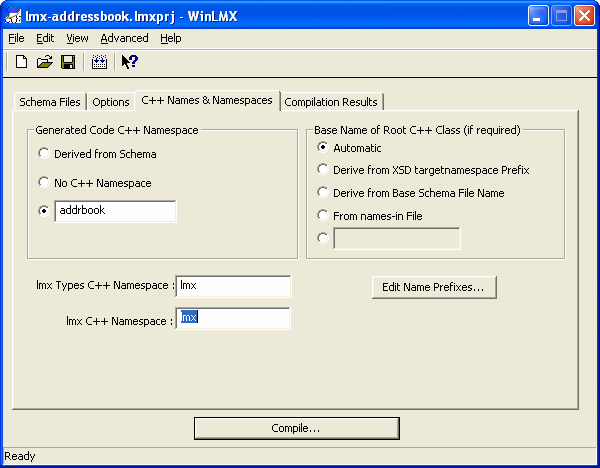
Setting the C++ Namespaces for the Schema Code Generation

Setting the C++ Name Prefixes

Setting the C++ Base Names
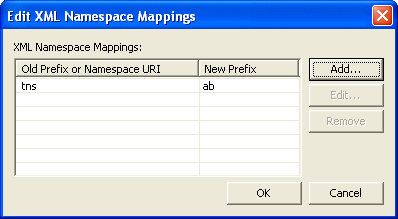
Setting the XML Namespace Prefix Mappings
You can save settings as a default project to speed up starting new projects in future:

Setting Project Defaults
And when you've generated your code, WinLMX keeps helping by displaying code snippets and method prototypes that you can drag-and-drop into your code, speeding up code development enormously. Just re-open your project at any time and do "View"->"Method Prototypes...".

WinLMX Displays Example Code And Prototyes Based On Your Schema You Can Drag-and-Drop Into Your Code
Find out more about LMX XML to C++ data binding by looking at the supported schema features, the examples, reading the documentation and downloading the evaluation code.
If you have questions about LMX, please send a message to .
|
Overview | |
Download | |
Buy | |
Documentation | |
Walkthrough | |
Try On-line | |
Support |
| Copyright © 2003-2025, Codalogic Ltd. All Rights Reserved. |